Home
Create
Menu
Home
Create

Open a saved tessellation:

Load from:


Help

For information and tips please see the Help topics.

You can also watch video examples of creating an artwork and adding detail with Inkscape.

Create a new tessellation — choose symmetry:  (What's this?)

1-way

2-way
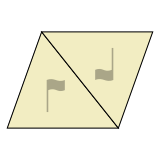
2-way with flip
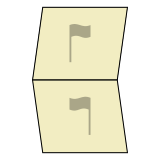
2-way
3-way
4-way
4-way with flip
6-way
6-way
Create a tessellation

To create a new tessellation, click a symmetry icon in the chart.

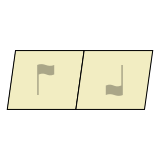
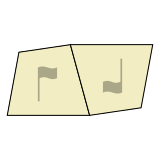
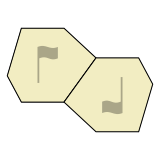
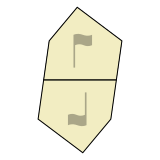
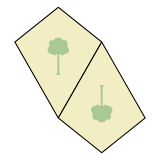
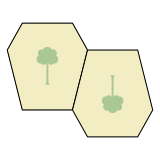
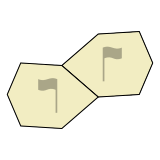
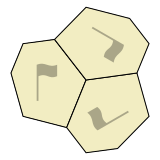
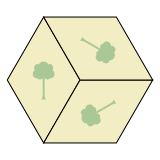
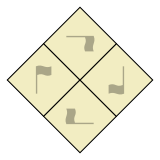
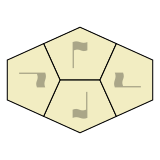
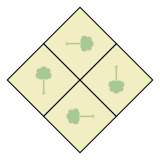
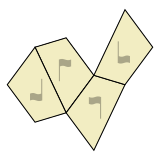
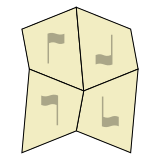
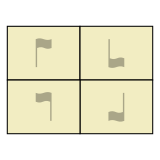
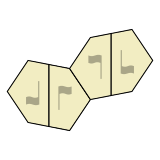
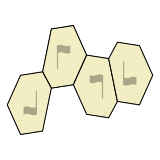
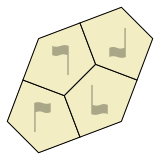
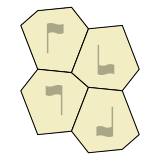
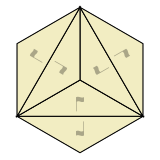
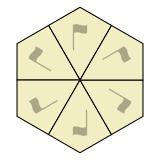
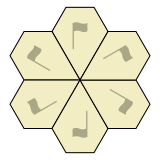
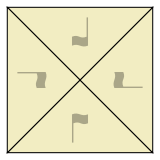
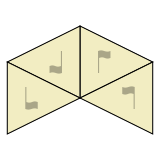
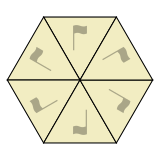
Related symmetries are grouped together in the chart, based on how many different ways tiles are oriented. For example, tiles in a “3-way” symmetry appear in 3 rotated orientations, while tiles in a “2-way with flip” symmetry appear in 2 flipped orientations.

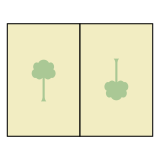
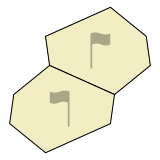
In the chart, “flag” or “tree” graphics help show how tiles are rotated and/or flipped. The graphic is a tree when tiles are symmetrical across a central “mirror”, and a flag otherwise.

(To find symmetries by wallpaper group, Heesch type, IH type, or Mohr type, please see the Summary Table.)

Info
Title:
Artist name:
Symmetry: 
 /   /  IH  / 
Save tessellation
Save to:
Title:
Artist name:
Save Inkscape tile(s)

Save tile for interior editing in Inkscape.
(For a suggested workflow see this help section.)

Save to:
Title:
Artist name:
Choose symmetry
1-way
2-way
2-way with flip
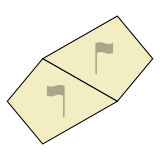
2-way
3-way
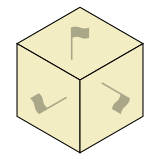
4-way
4-way with flip
6-way
6-way
The current tessellation has unsaved changes.

Do you want to proceed anyway?

Number of tile colors:
Nothing is selected.
%
Width: 
%
Selected items have different styles.

Click "Unify" to use the first item's style for all selected items.

Alert
Settings

(Not possible on this device)

(Note that changes affect only this browser and device.)

Share

The best way to share your tessellated art is to export an image or video and post it to your favorite sharing site.

To export an image, choose “Export PNG image” or “Export SVG image” from the File menu. To export a video, open an animation via the View menu and choose “Export video”.

When sharing, please use the hashtag #TiledDotArt to help other Tiled.art users find your art.

3D Framed Picture

Select frame style, then draw the picture rectangle on the canvas.

Frame style:
Max TILE dimension (mm):
Tile Height (mm):
Tolerance (mm per side):
Border FRAME thickness (mm):
Frame height (mm):
Content: 
Shape: 
Scale:  
3D Framed Picture

Drag on canvas to draw the picture rectangle. Use handles to resize, or zoom to adjust the view.

Scale:  
Create
Save to:
Title:
Scale
Width
Height
Export video
Save to:
Title:
.webm
Export STL/STEP piece

Export the tessellation tile as a 3D file for printing or CAD editing.

Save to:
Title:
.stl
File type:
Max Width (mm):
Height (mm):
Tolerance (mm per side):
Helps pieces fit together even when the printer isn't very precise.

STEP export runs on your device. It may take several minutes depending on your device's processing power.

“”
Original
by
  (shown with permission)
Symmetry: 
 /   /  IH  / 
Export video
Recording video ...
“”
Original
by
  (shown with permission)
Symmetry: 
 /   /  IH  / 
Export video
Recording video ...